**LEX Connect is currently in the BETA testing phase**
| Opus 2 LEX Connect: Your mobile extension for Productivity on the go | 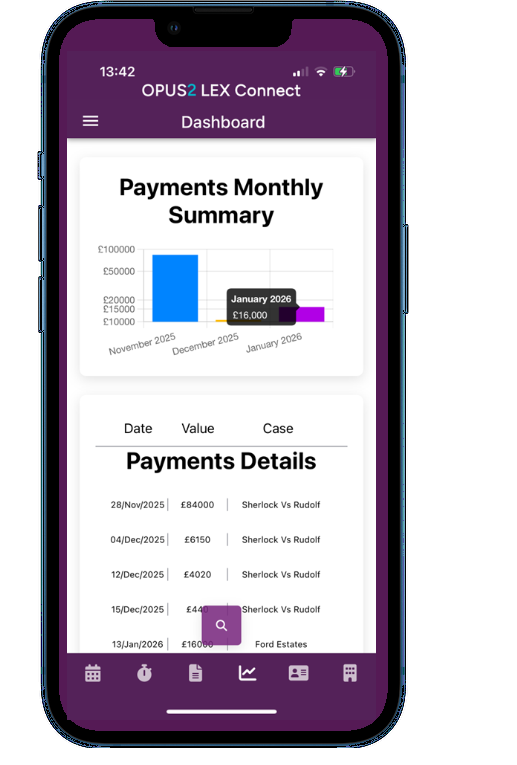 |
Stay efficient wherever you are with the new mobile extension of LEX. From your handheld device, you can effortlessly check and update your diary, record time, and manage paperwork - anytime, anywhere.
Who can access LEX Connect and what can users access within the App?
Chambers must be on LEX V 11.017 as a minimum before configuration can take place.
NOTE: An external URL is required and only chambers using their Microsoft 365 tenant within the main LEX application are able to use the app. This is the only available log in mechanism.
Phase 1 of LEX Connect is only for barrister users. All available features are detailed in the guidance provided. Each chambers manages its own security and access settings for members which may limit certain functions within the app.
For example, if a barrister does not have permission to add new appointments to the diary or has not been set up for time recording, those options will not appear within the app.
What is the cost to use the App?
The cost to use the App is £5 + vat per user, per month
App Navigation
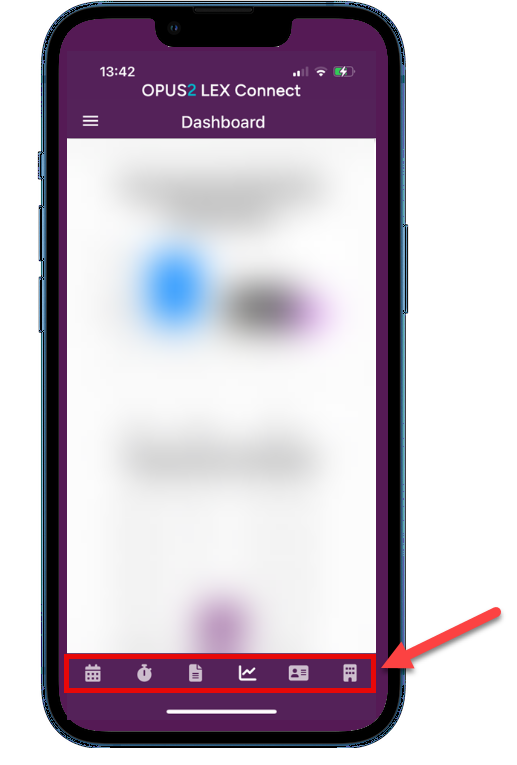
Either tap the menu icon in the top left to open the full menu or select one of the shortcut icons along the bottom of the screen.
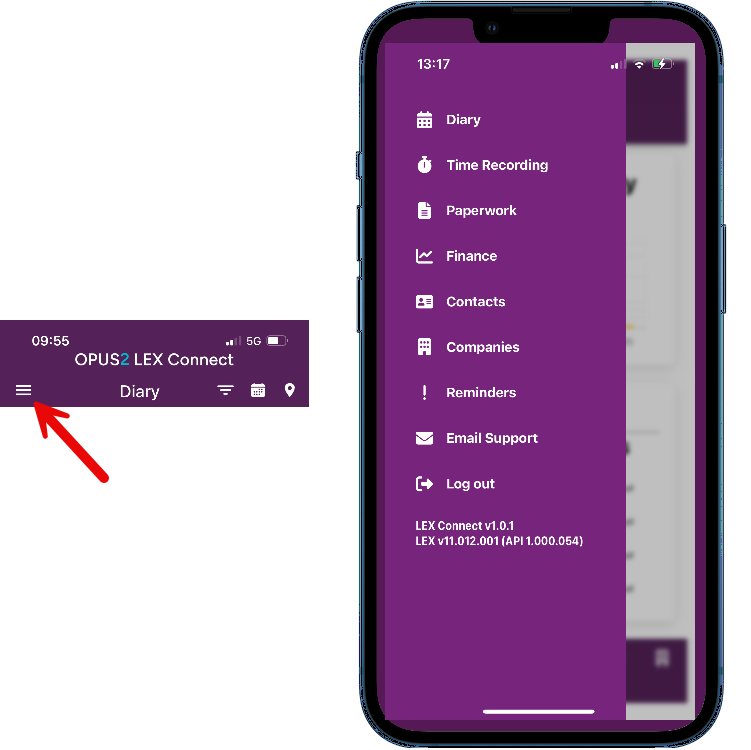 |  |
| Menu Description | Function |
|---|---|
| Diary | Review your diary, add and amend bookings from your handheld device Guidance for this area can be found here - Opus 2 LEX Connect - Diary guides |
| Time Recording | Live timing plus ad-hoc entry and management of existing time records. Guidance for this area can be found here - Opus 2 LEX Connect - Time Recording |
| Paperwork | Manage, review and update your paperwork tasks. Guidance for this area can be found here - Opus 2 LEX Connect - Paperwork / Tasks Guidance |
| Finance | Check out your stats at a glance on the dashboard. Phase 1 includes a brief overview of payment information |
| Contacts | Locate contact information for contacts in your LEX database including phone numbers and email addresses |
| Companies | Locate company information in your LEX database |
| Reminders | Set personalised in-app reminders to appear on your device at a time that works best for you. This feature does not currently link to the desktop application. Note: These are not tasks to complete, these are only intended to pop up as a reminder. |
| Email Support | Opens up an email on your device to contact LEX Support with any queries |
TIP: When entering text in the app, you can text as normal using your keyboard or use the dictate function. | 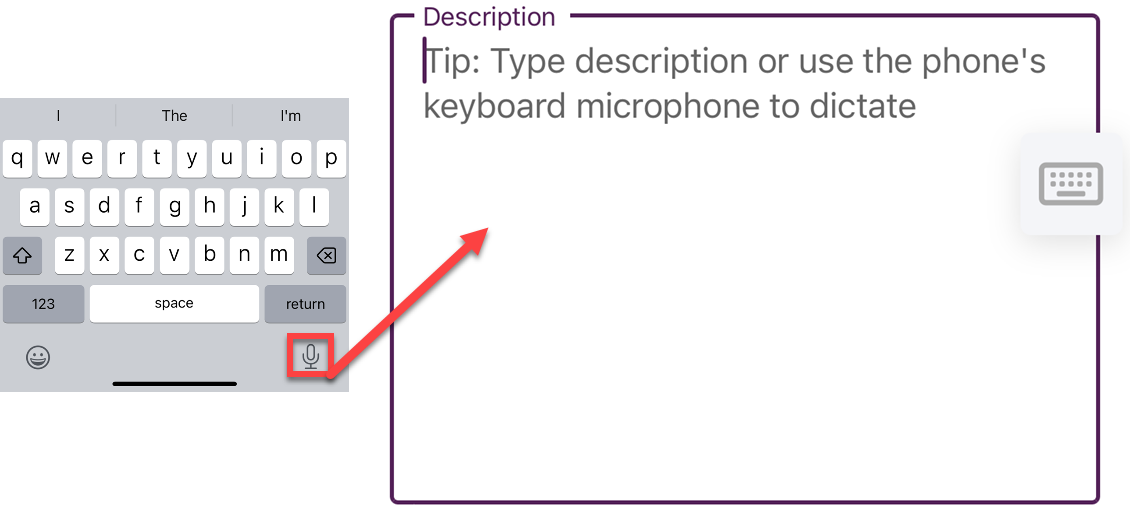 |
Diary Stay on top of your schedule by reviewing existing bookings or creating new ones directly from the app. | 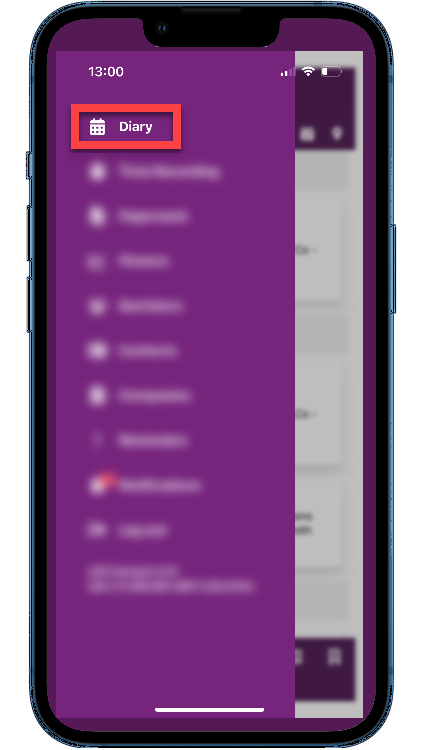 |
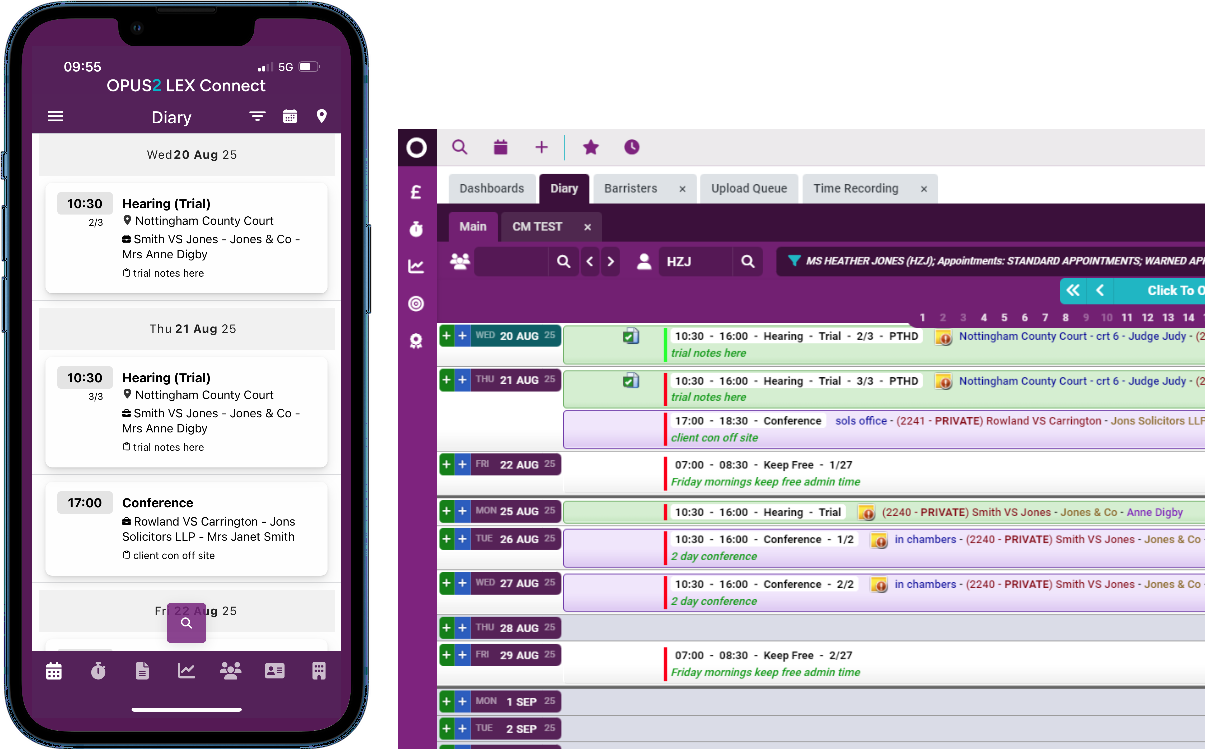
Full guidance on the Diary can be found here - Opus 2 LEX Connect - Diary guides
Time Recording Easily record your time using the integrated time recording feature - add entries ad-hoc or use the in-app live timer. by linking time directly to your cases, everything is saved instantly so you can seamlessly move on to your next task. | 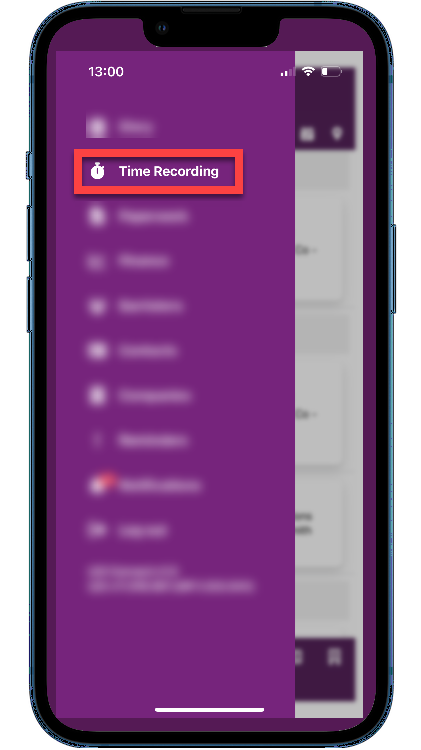 |
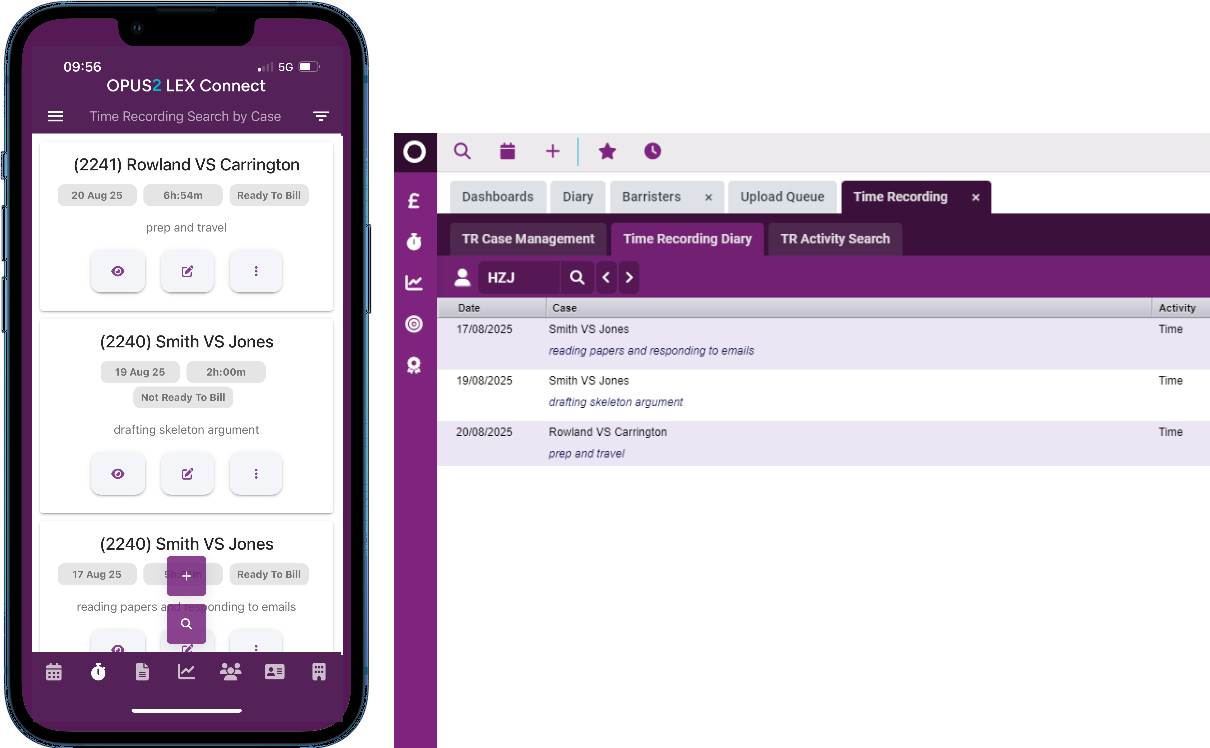
Full guidance on the Time Recording within the App can be found here - Opus 2 LEX Connect - Time Recording
Paperwork Easily review your scheduled paperwork tasks, create new ones and manage them efficiently. Complete a task in just two clicks or reschedule it for the next day if you need more time | 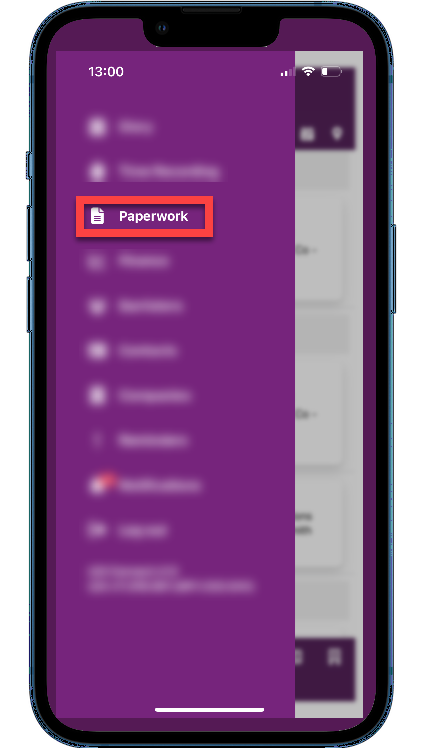 |
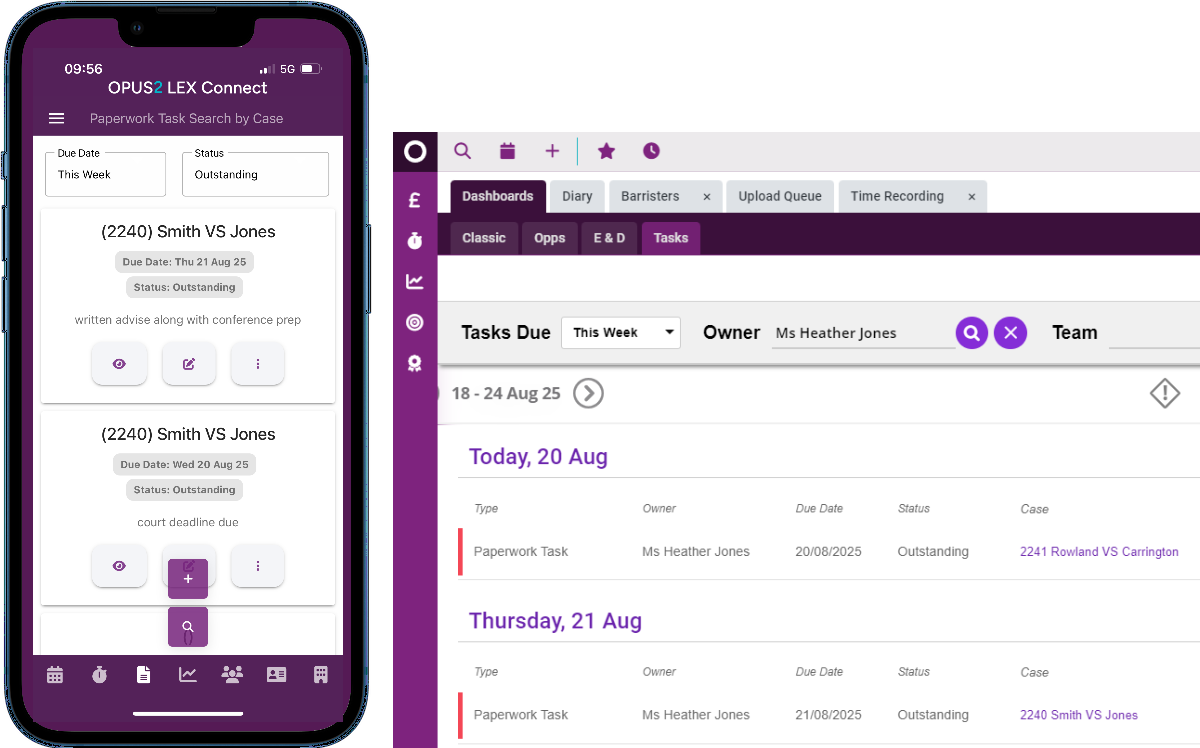
Full guidance on the Paperwork / Task management within the App can be found here -
Opus 2 LEX Connect - Paperwork / Tasks Guidance
Finance Currently phase 1 allows a visual of the recent payments. Current functionality is limited to a view only. No options have been included within the phase 1 development of this page. | 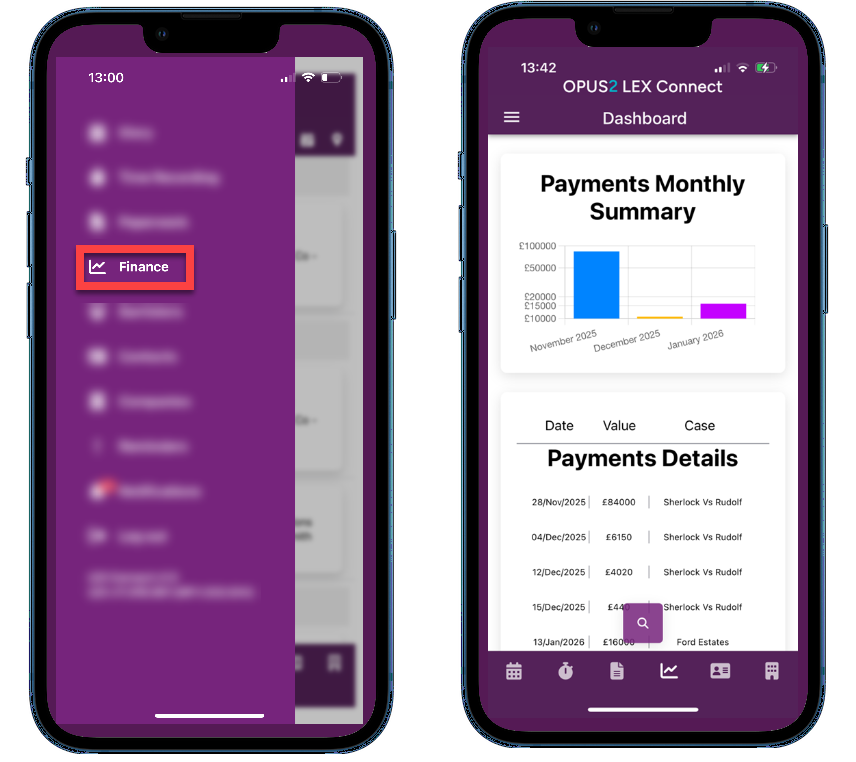 |
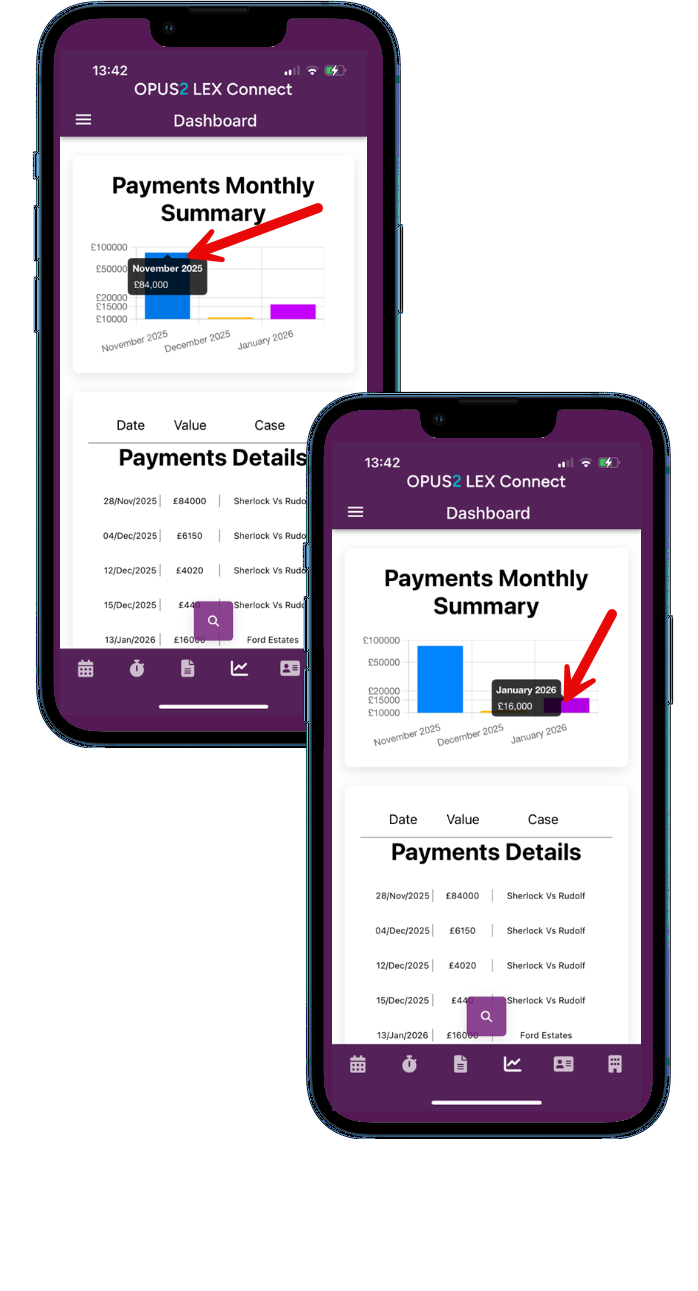 | Clicking on the graph reveals the exact value represented by the bar |
Contacts / Companies
The contact and company search feature enables users to find details for any individual or organisation. It provided access to the full database, not just the contacts linked to their own cases.
Entering in text to the search box shown below will begin to filter the relevant contacts in to view.
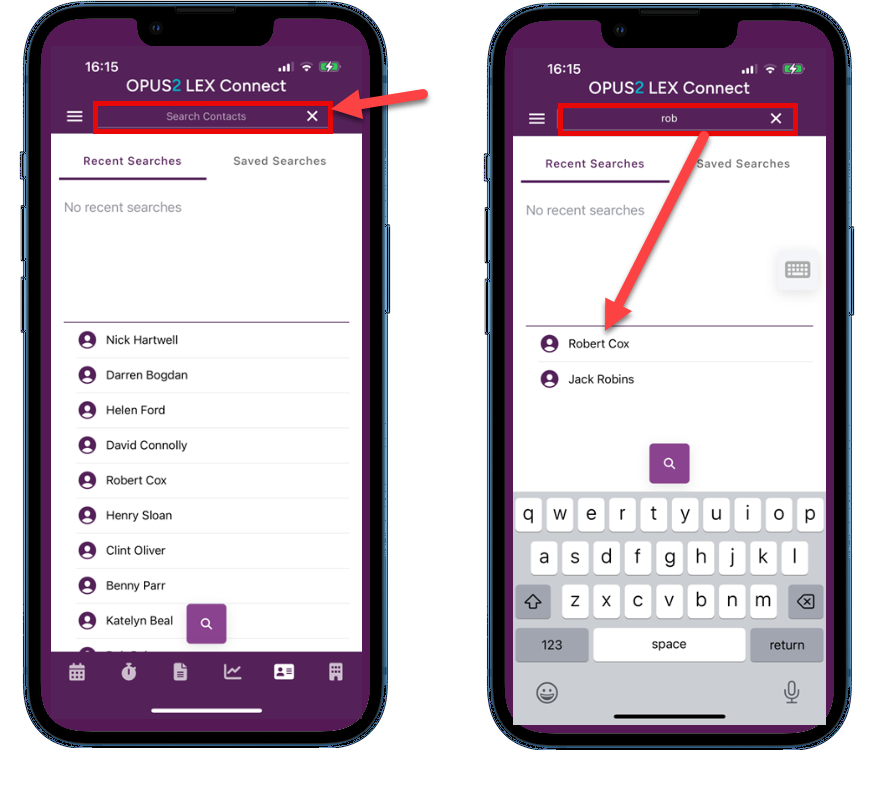
Tap the contact to display their record and contact information | 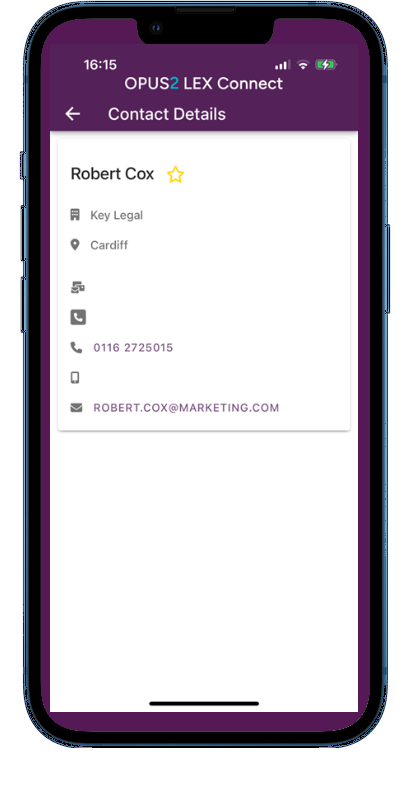 |
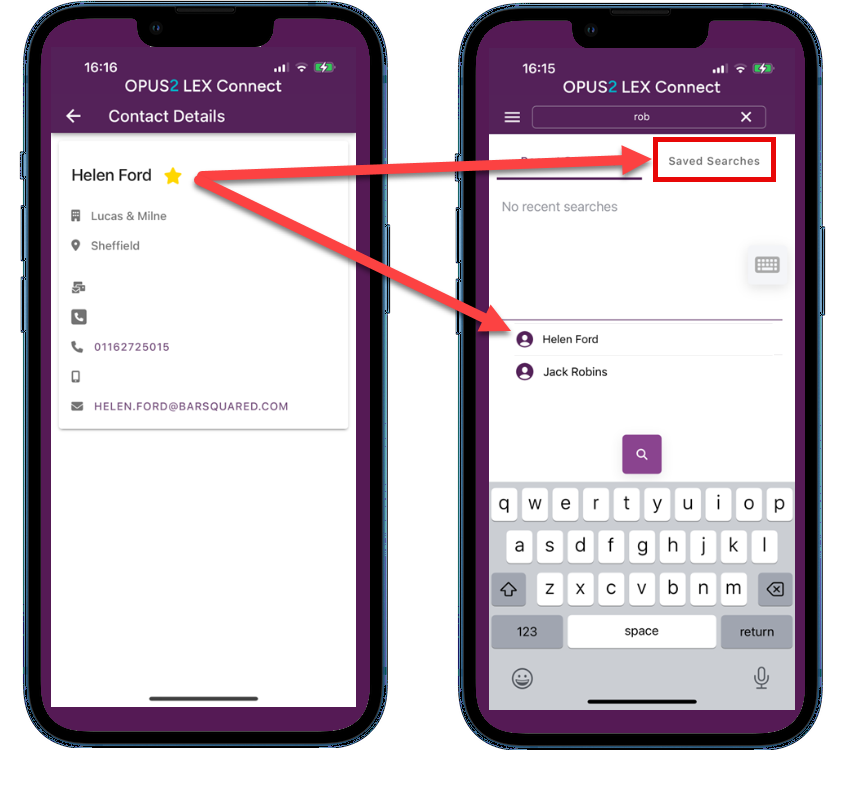
Selecting the star next to the contact / company name will save that record under 'Saved Searches' as shown below
Reminders With LEX Connect reminders, you can set personalised alerts to pop up on your device whenever it suits you. These reminders are just for you - they won't appear in the desktop application or be visible to clerk users, so you can stay on top of things without cluttering the shared diary. | 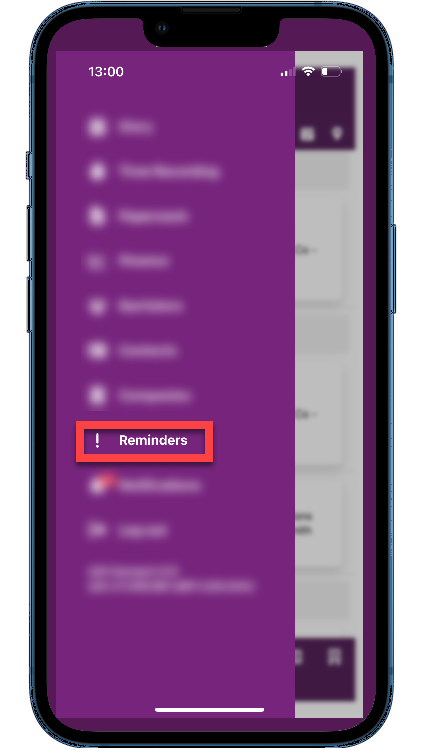 |
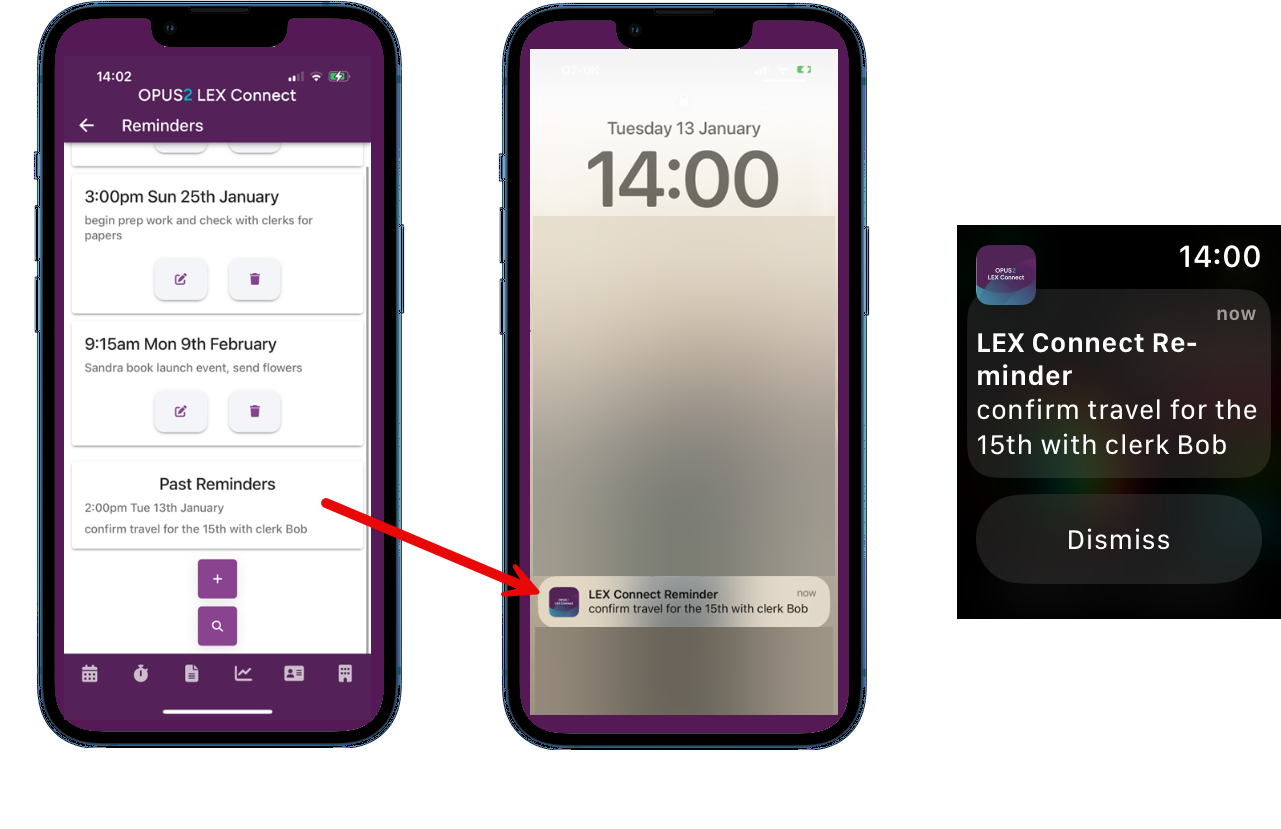
Reminders will pop up provided your notification settings on your device are turned on. The above example shows the reminder showing up on a mobile device and smart watch screen.
Create a new reminder
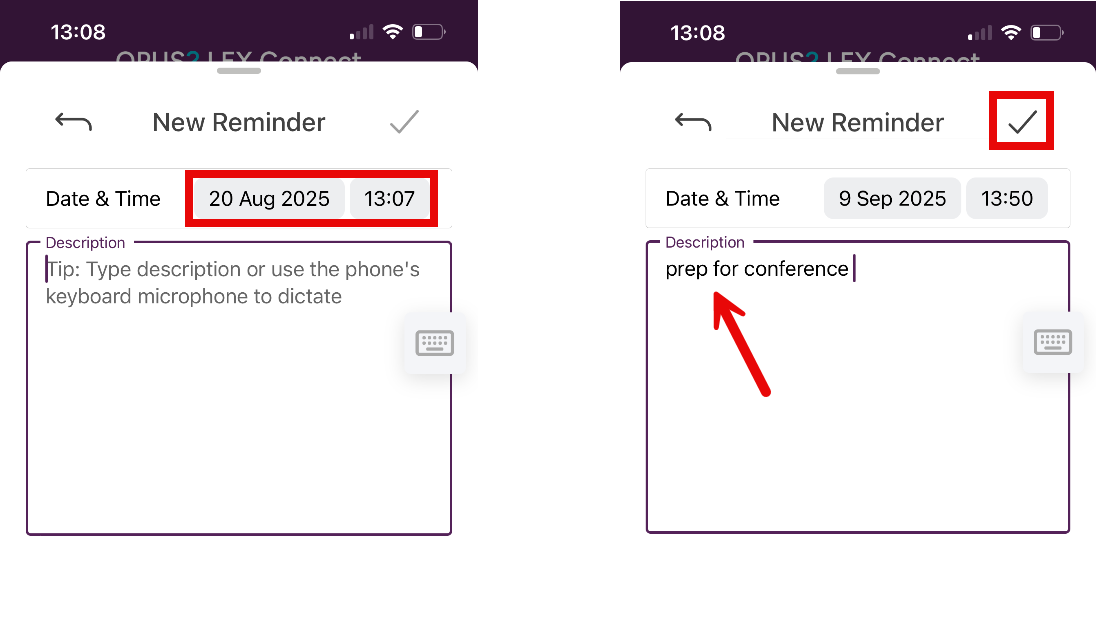
Select the + to create a new reminder. Complete the time and date of the pop up with the required notes and select the tick to save:
Additional / Detailed guidance can be found via the links below:
Diary - Opus 2 LEX Connect - Diary guides
Time Recording - Opus 2 LEX Connect - Time Recording
Paperwork / Tasks - Opus 2 LEX Connect - Paperwork / Tasks Guidance
Was this article helpful?
That’s Great!
Thank you for your feedback
Sorry! We couldn't be helpful
Thank you for your feedback
Feedback sent
We appreciate your effort and will try to fix the article