Company Credit Status
Overview
The company credit status allows users to assign a credit status to a company and display this on each case via pop ups when required and colour coding.
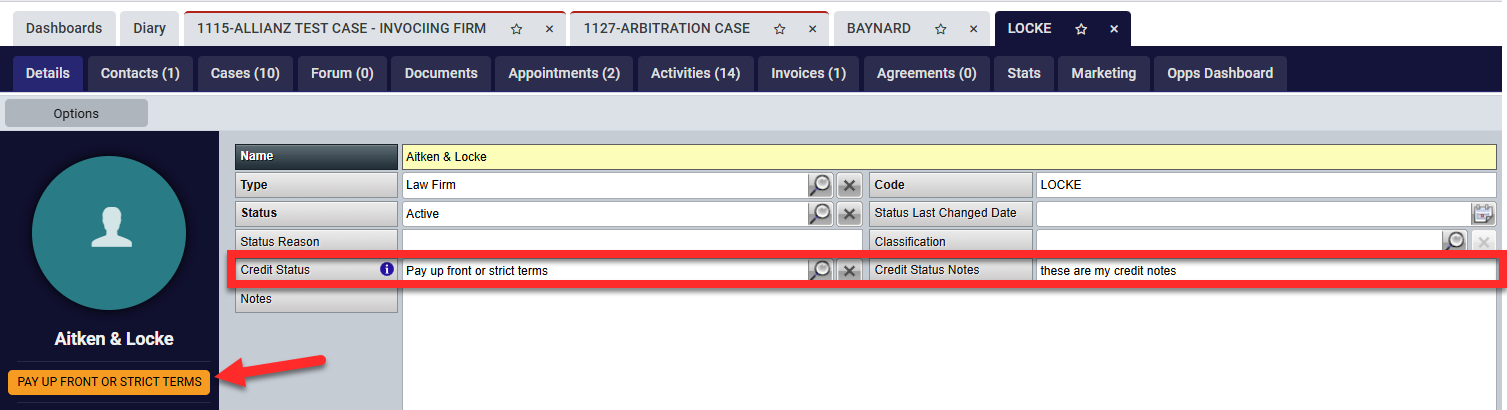
Each company has 2 new boxes for 'Credit Status' and 'Credit Status Notes'. Credit statuses are added via the UDF and Group Edit (explained under the Configuration section)
Once applied, the status will also show within the company details photo panel as shown below.
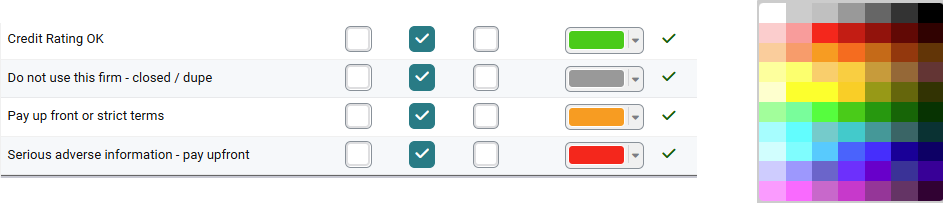
Each of the statuses can be individually named and colour coded. The examples given within this guidance are using a traffic light system but more colour options are available:
Once applied to the company record, each case assigned to that firm will display the credit status clearly on both the Details and Fees tabs:
Example 1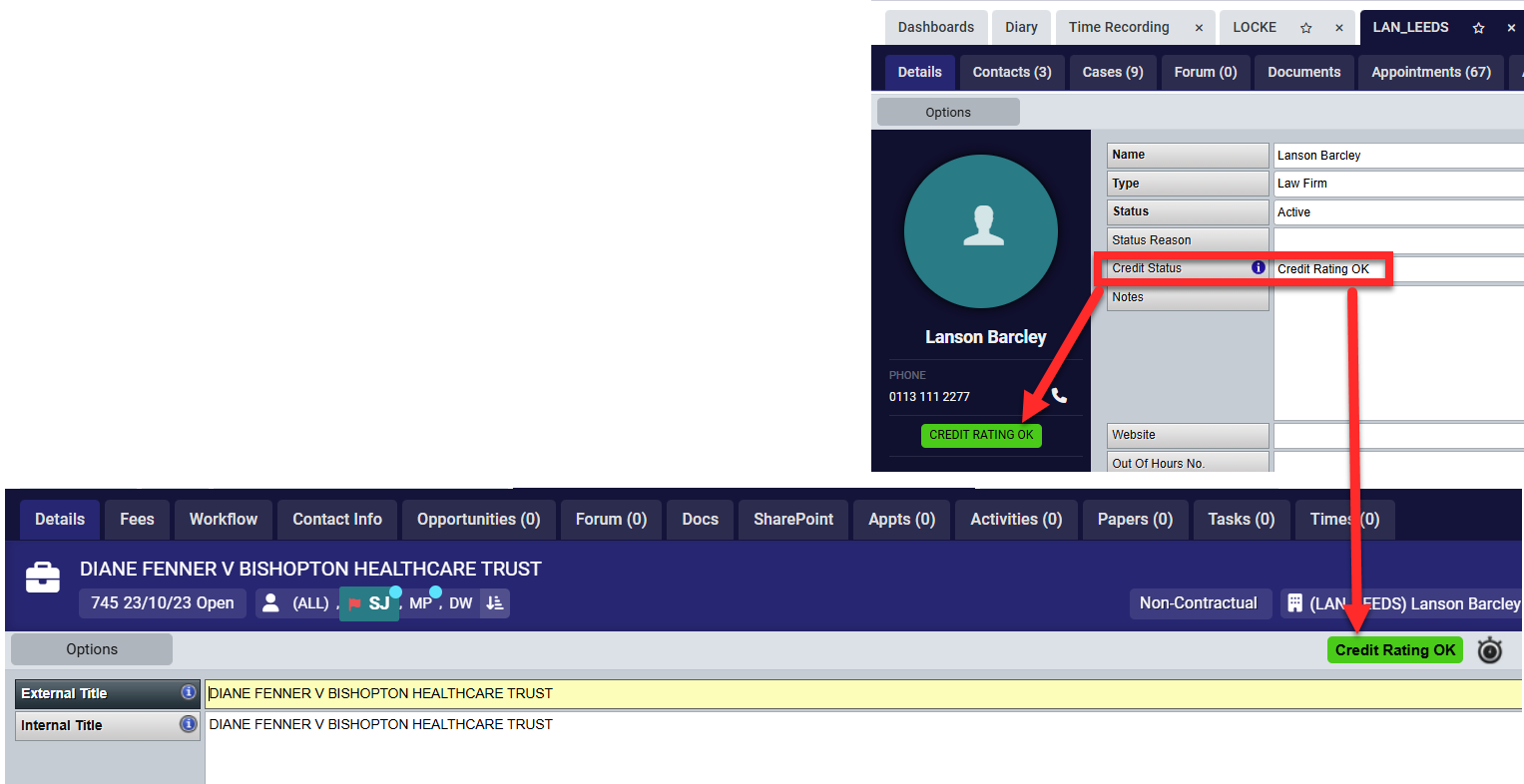 |
Example 2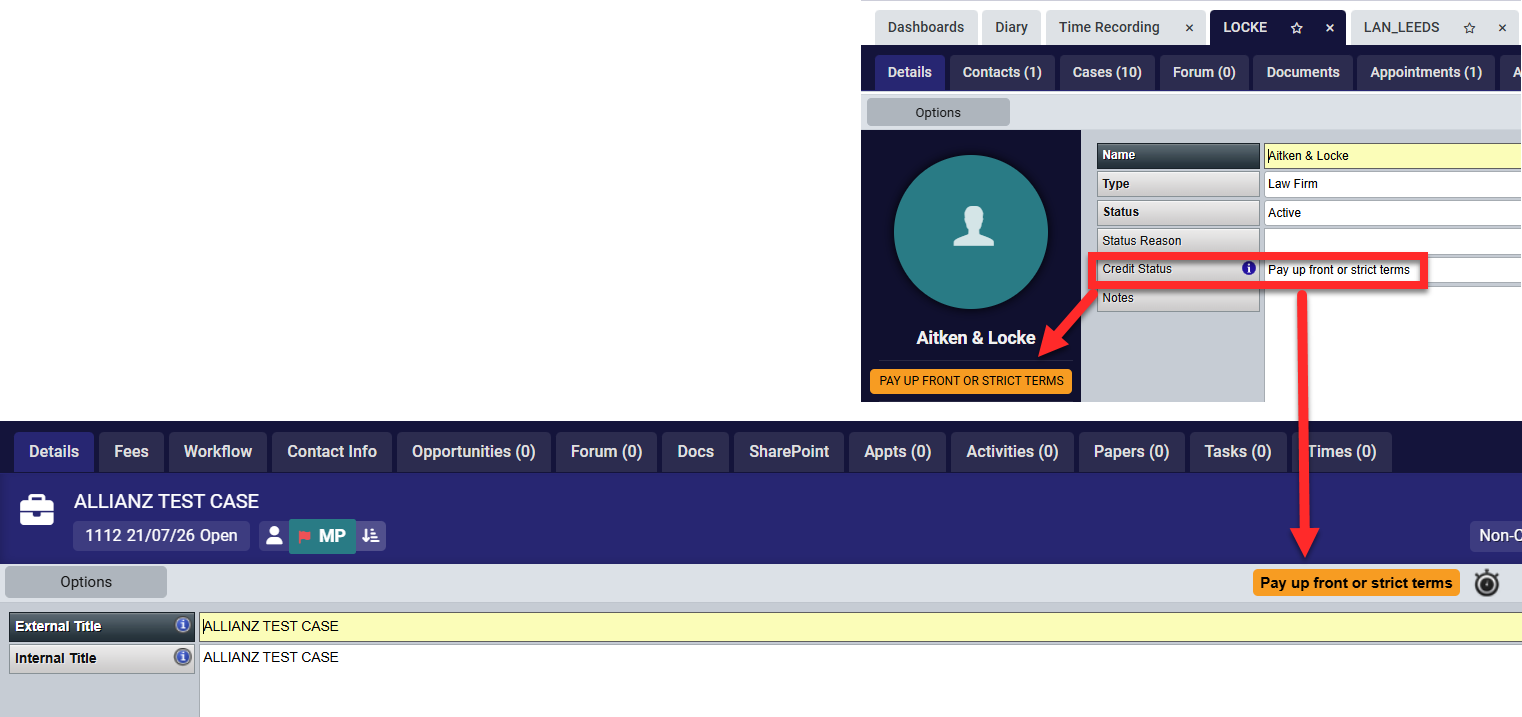 |
Example 3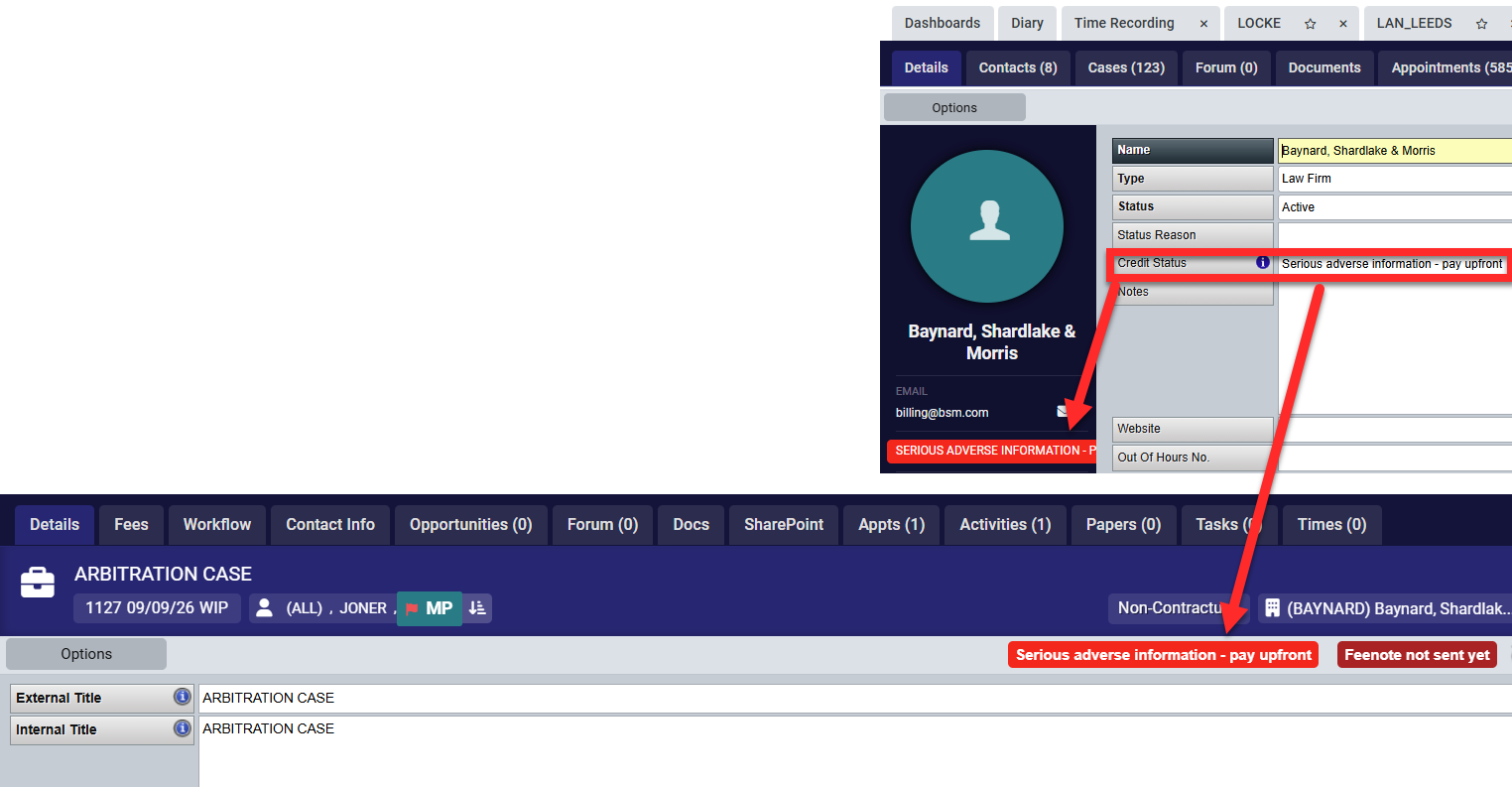 |
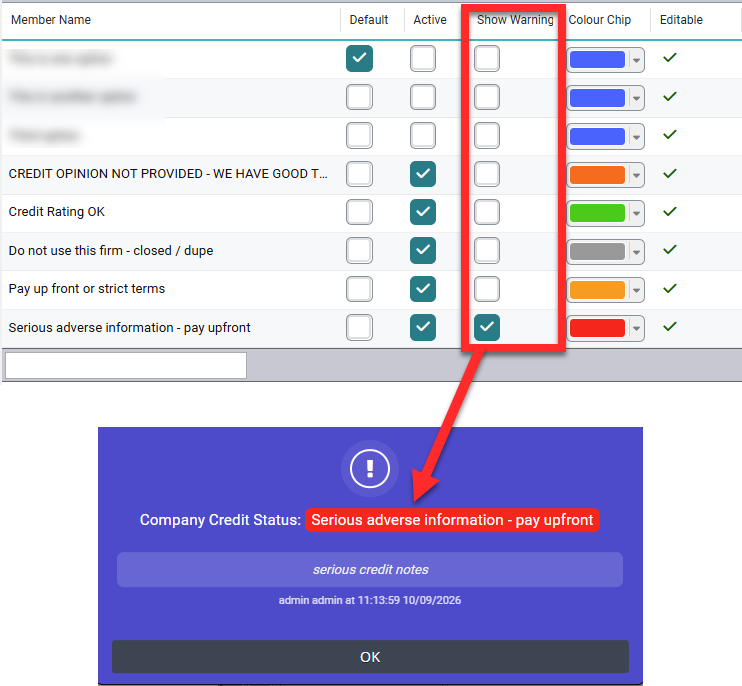
Within the configuration, chambers can apply a warning pop up to certain statuses which will pop up when opening the company record itself and any case associated to the company. This will show the status and the credit status notes:
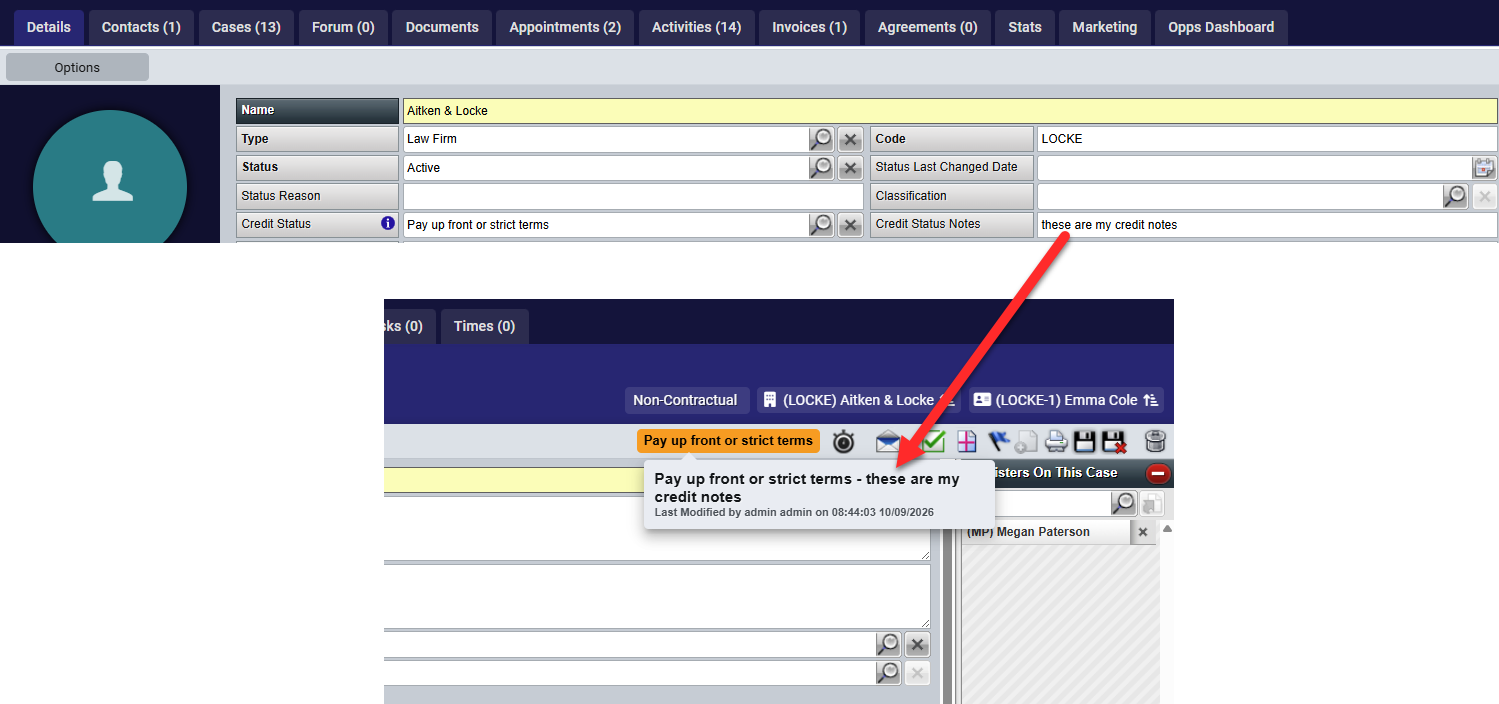
On case level, when you hover over the status, a pop up will appear showing the credit status notes from the company profile and audit information if changes are made:
Configuration
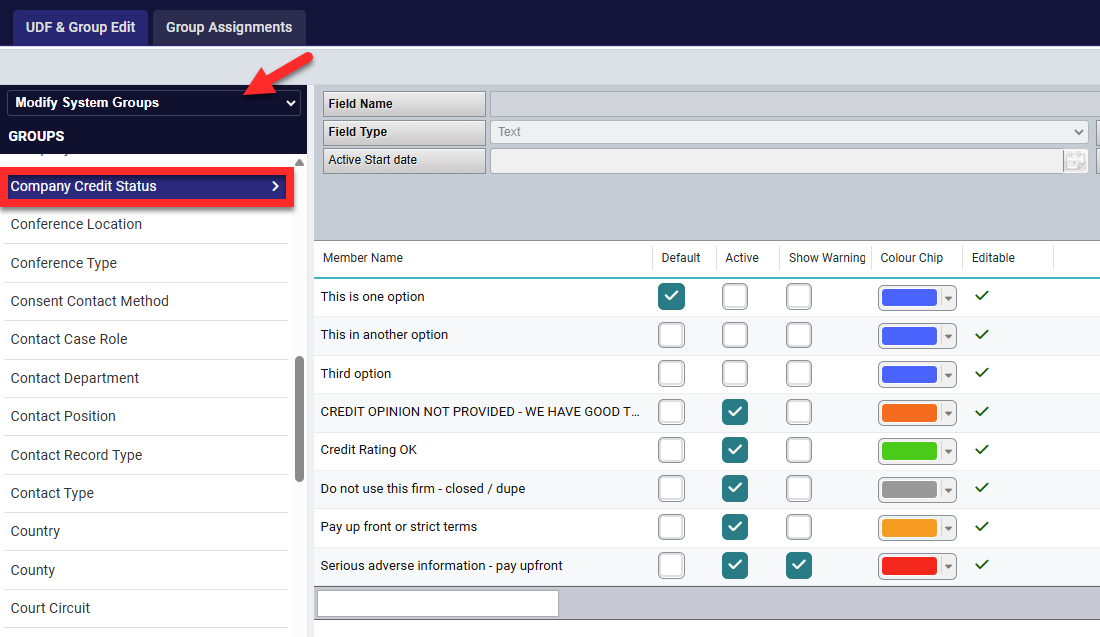
The credit statuses are created and managed via the UDF and group edit. NOTE: Not all clerk users have this option, if someone in chambers can confidently use the UDF and Group edit, they are able to add and amend these. If not, Opus2 LEX support can assist in creating / amending for you.
In addition to creating the credit status in the UDF and Group edit, users can also choose which statuses display the warning and which colour is assigned to that status:
IMPORTANT IF USING CURRENT BLACKLISTED AND WITHDRAWAL OF CREDIT STATUS FUNCTION
If System Options -> Case Options -> 'Warn Company is on Defaulting List of Solicitors or Withdrawal of Credit' is ticked and a company has one of those statuses and they have a Credit Status as shown within this guide, both messages will show along with the Credit status notes. If enabling the new functions, chambers may wish to turn the case status option off. Both can be used at the same time.
Was this article helpful?
That’s Great!
Thank you for your feedback
Sorry! We couldn't be helpful
Thank you for your feedback
Feedback sent
We appreciate your effort and will try to fix the article