**This feature is available to BETA test in version 11.017.003 and more widely available from 11.018 onwards**
Case Conflict Check
Configuration
This feature is activated on 2 levels. A general System option and individual user options. Meaning the feature can be available for those who require the option but turned off for those who do not need the feature.
Contact LEX Support to have this enabled.
Guidance
A brief overview has been provided directly below with more detailed guidance to follow if required.
Once activated, each active user will see a change to the search menu. Highlighted below we have 2 additional boxes:
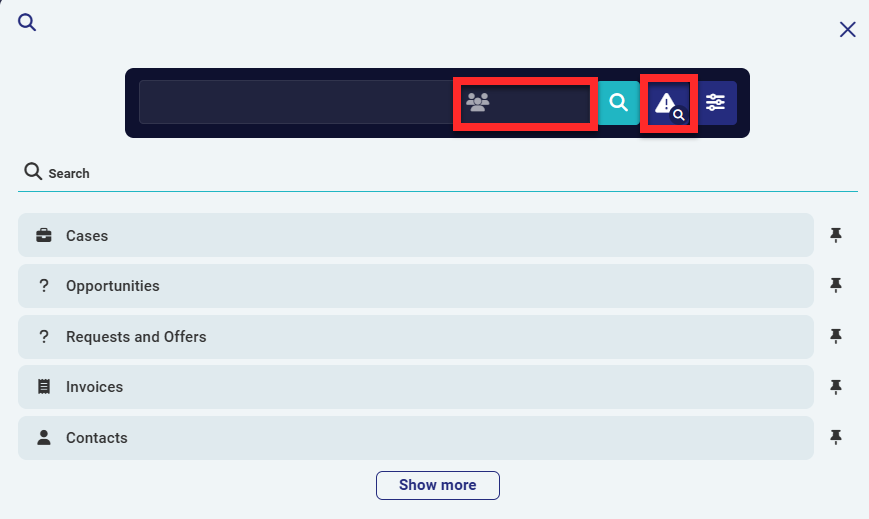 |  Barrister initials should be entered in to this box. Barrister initials should be entered in to this box.NOTE - This does not offer a drop down to select, it relies on exact text entry. If 2 barristers exist using BF and BFM and BF is entered in to this box, only BF will be searched. |
 Clicking this box performs the search once the case / barrister fields have been completed |
The main search box to the left continues to work as it has previously, the default option being the case search but also allowing users to enter a contact name and select 'Contacts' or an invoice number and click on 'Invoices'. When using for 'normal' searches, the barrister initials will be ignored and only used for the conflict check.
To use the conflict search, enter the case name, barrister Initials and select the conflict search button (or select enter on your keyboard) as shown below:
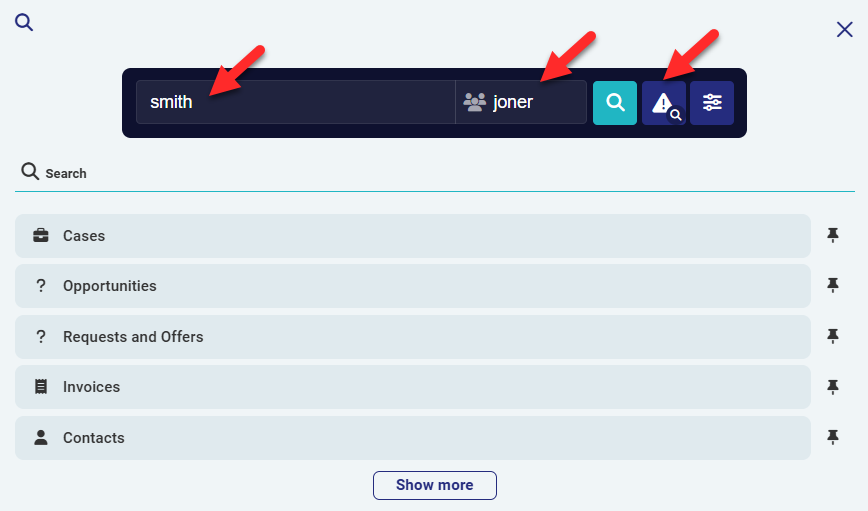
The results will appear on 2 separate tabs with the case title and barrister highlighted. The tab to the left contains the case search results which contains all cases with all statuses. The Requests and offers tab shows the Opportunities the barrister has been added to, also containing all statuses.
The Barristers search will lookup the exact initials used and the case name used will only be looked up in the Internal title and the External title, no other columns are used in this search.
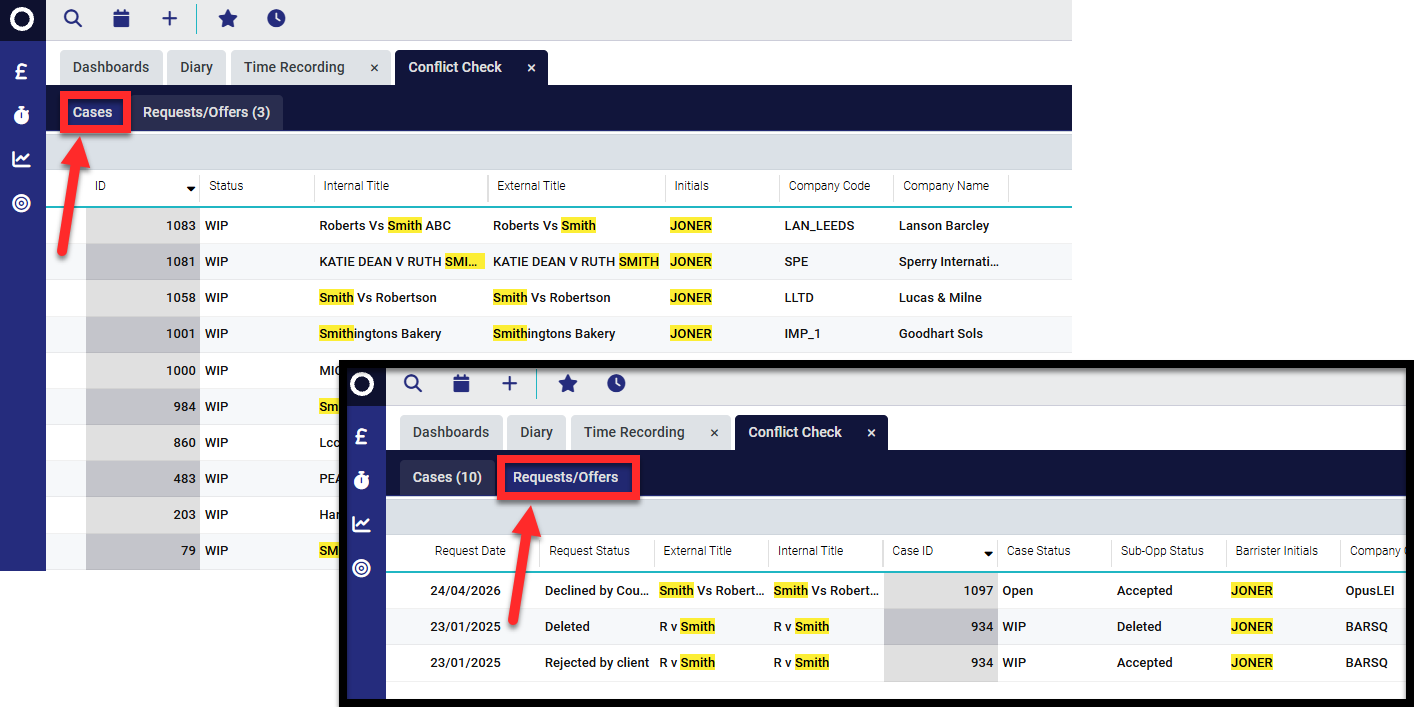
This example shows the barrister was added to 3 cases but not accepted on any. Both of these search grids are configurable to allow users to add / remove columns as required but the search boxes usually seen on the Cases and Requests and offers search grids have been removed, this is to prevent the tabs becoming out of sync.
Was this article helpful?
That’s Great!
Thank you for your feedback
Sorry! We couldn't be helpful
Thank you for your feedback
Feedback sent
We appreciate your effort and will try to fix the article